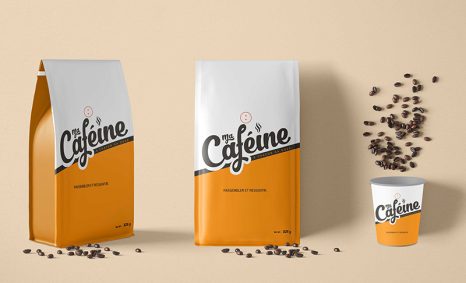
PSD Mockup

Showcase your logo designs with our free PSD Paper Cutting Logo Mockup. This high-quality mockup allows you to present your branding in an elegant and artistic way. With realistic paper textures and shadows, your logo will stand out, capturing the essence of creativity and professionalism.
The mockup is easy to use in Adobe Photoshop, allowing for seamless editing. Simply insert your logo into the smart object layer, and watch as it transforms into a stunning paper cut design. Ideal for both personal and commercial projects, this mockup is a fantastic tool for designers looking to impress clients or enhance their portfolio.
Get 3D Logo MockupsAll of these Resources are easy to use and can present your information beautifully. Some are free, while others cost a few dollars.More great & free PSD Mockups Collection:
- Free Simple 3D Logo Mockup (PSD)
- Free Gold Coin Mockup PSD Download
- Free PSD Mockups for Books and More!
- 3D Packaging PSD Mockups
FAQs – PSD Paper Cutting Logo Mockup
Can I edit the PSD Paper Cutting Logo Mockup?
Yes, you can easily edit the mockup using Adobe Photoshop by accessing the smart object layers.
Does it support different logo formats?
The mockup supports various logo formats, including PNG and JPG, making it versatile for your designs.
Is it easy to customize the lighting in the mockup?
Absolutely! The PSD file includes adjustable layers for shadows and lighting, allowing you to customize it to your preference.
What color modes are available in this mockup?
The mockup is available in RGB color mode, ensuring vibrant colors for digital presentations.
Do I need advanced Photoshop skills to use this mockup?
Not at all! The mockup is user-friendly and designed for both beginners and experienced users alike.
Download PSD Now!