PSD Mockup
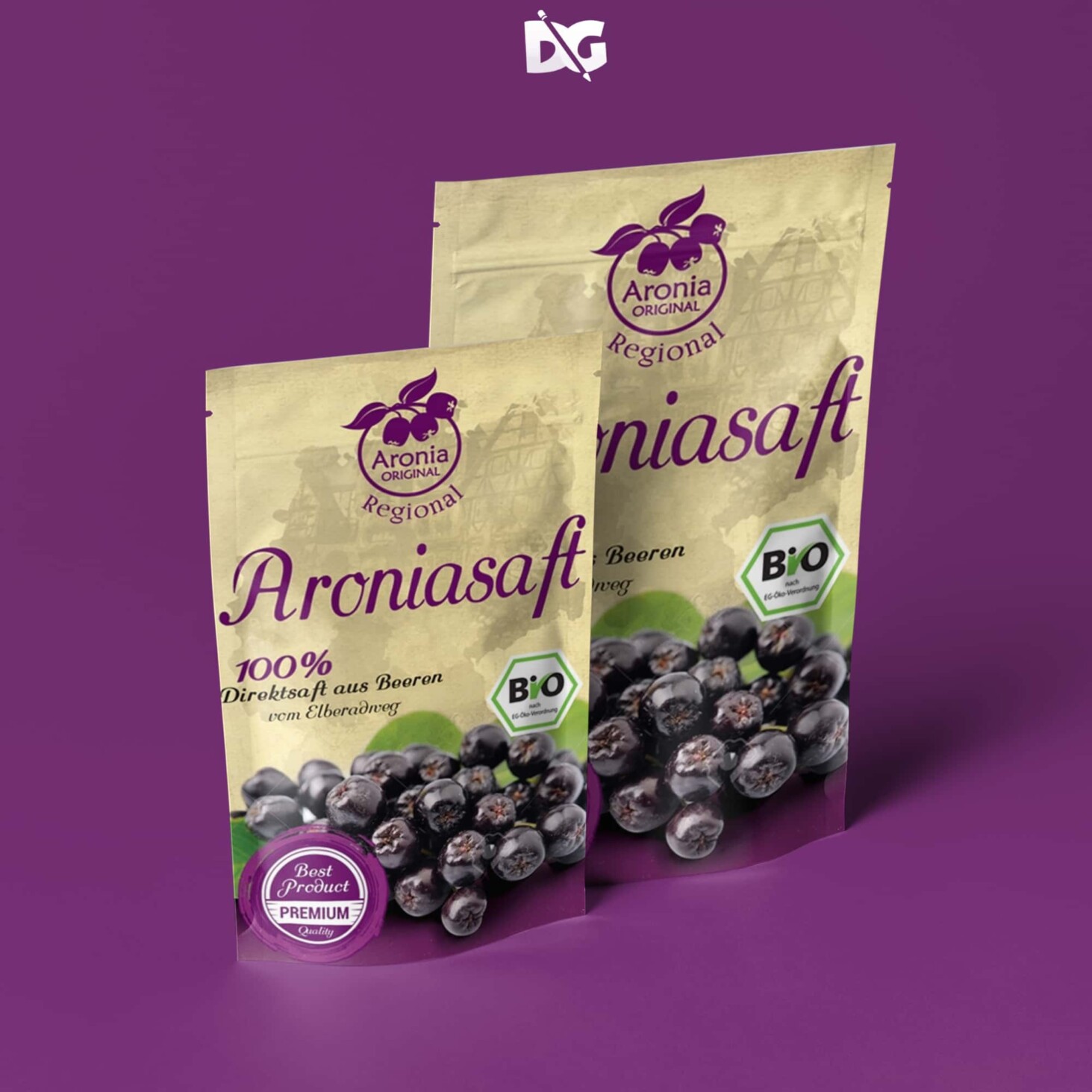
The Doypack Pouch Label Mockup is an essential tool for designers looking to showcase their packaging designs in a realistic and appealing way. This mockup features high-resolution images that highlight the unique shape and texture of the doypack pouch, making it perfect for presentations and client pitches. The customizable features allow you to easily insert your own designs, ensuring that your work stands out.
Utilizing this mockup can significantly enhance your portfolio and attract potential clients. With smart object layers, you can seamlessly edit and adjust the label to fit various design needs. Whether you are working on beverage packaging, snack items, or other products, this doypack pouch mockup provides a versatile solution. Explore the possibilities and elevate your design projects with this user-friendly mockup.
Pouches are one of the most convenient packaging forms which are used by different companies to package their products. They have a significant presence in the food and cosmetics industry where a fast array of products are being packed in pouches as they are easy to carry, cost-effective and quite useful for product branding at the same time.A collection of the best photo-realistic pouch mockup templates for displaying your beautiful branding. Whether you are creating a design for a coffee bag or a cosmetics pouch, whatever the case, we have a mockup here for you to put into play.The bundle of goodness below covers a broad assortment of different options and solutions for you to take to your total advantage. You just pick the mockup that suits your needs and stuff it with the design. Seriously, the process is just as quick and straightforward as it sounds. No different!- Free Snacks Pouch Mockup
- Free Papper Neck Pouch Mockup
- Free Basel Paper Pouch Mockup
- Hello Spring Stand up Pouch Mockup
FAQs – Doypack Pouch Label Mockup
Can I edit the Doypack Pouch Label Mockup in Photoshop?
Yes, the mockup is fully editable using Photoshop, allowing you to customize the label and background easily.
What file formats are included with the mockup?
The mockup typically includes PSD and high-resolution PNG files for versatile use in your designs.
Does the mockup support different lighting effects?
Yes, the mockup allows you to adjust lighting and shadows to create a realistic presentation of your product.
Is it easy to change the label design on the mockup?
Absolutely! You can use smart objects in Photoshop to quickly swap out the label design with your own.
What types of products can I showcase with this mockup?
This mockup is perfect for showcasing various products, including food items, beverages, and other consumer goods.
Do I need any special skills to use the mockup?
Basic knowledge of Photoshop is helpful, but the mockup is designed for easy use, even for beginners.
Download PSD Now!