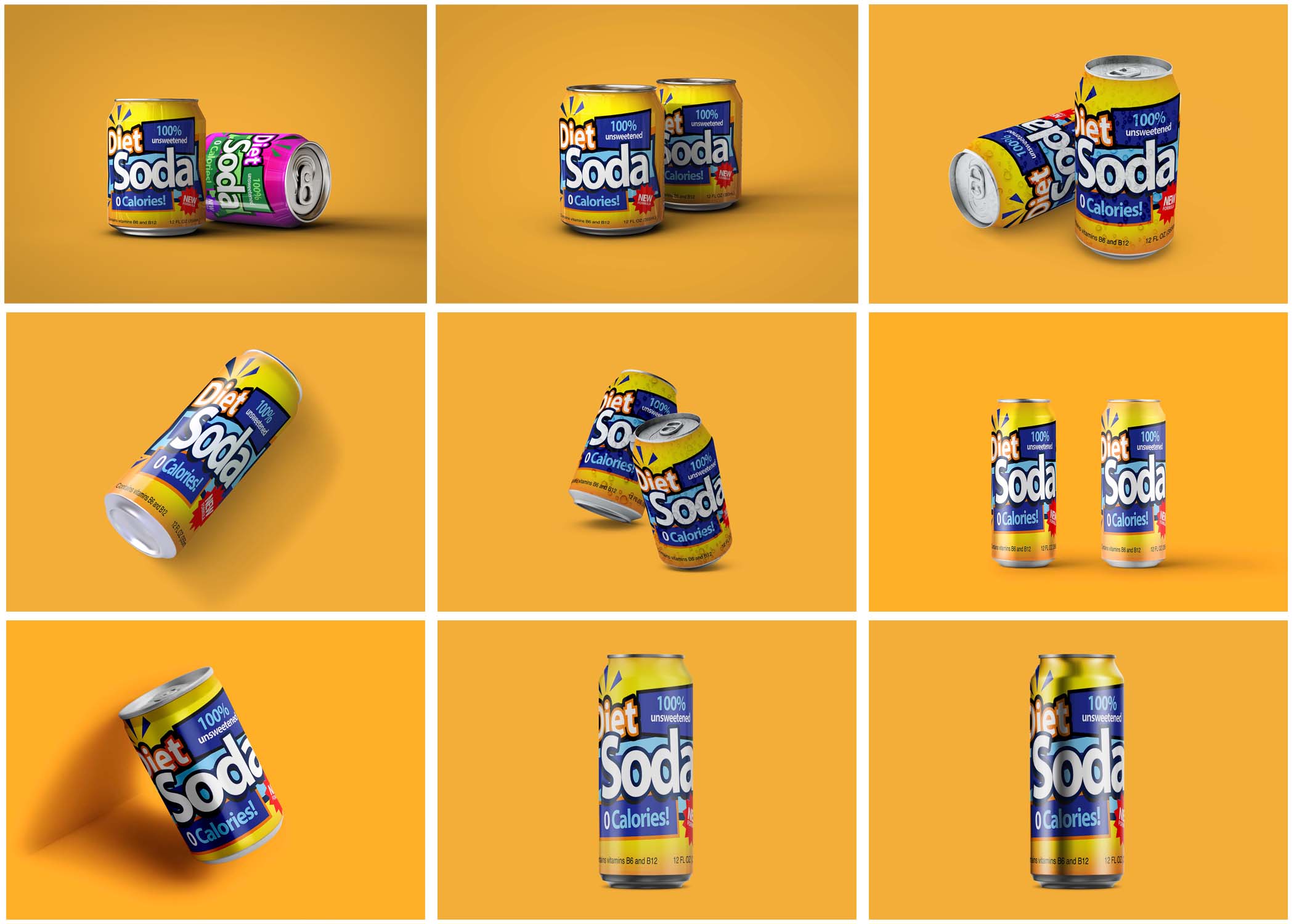
In today’s visual-centric digital landscape, creating eye-catching and professional mockups has become essential for designers, marketers, and business owners. Mockup.Photos is a versatile online platform designed to simplify the process of mockup creation, allowing users to bring their ideas to life with stunning, realistic visuals.
Mockup.Photos offers an exceptional selection of professional mockup templates that can significantly enhance your visuals. Whether you’re showcasing a product or creating promotional materials, using high-quality mockups allows you to present your designs in the best light. For instance, you can discover free poster mockups that are perfect for street banner displays.
This article explores the features, benefits, and applications of Mockup.Photos, showing why it is the go-to solution for high-quality mockups.
What is Mockup.Photos?
Mockup.Photos is an online tool that offers an extensive library of mockup templates for a variety of use cases, including product showcases, branding, marketing, and social media. With its user-friendly interface, Mockup.Photos allows users to quickly and effortlessly create professional-grade visuals without requiring advanced design skills.
Whether you’re showcasing a new product, building a portfolio, or creating marketing materials, Mockup.Photos has a template to meet your needs.
Key Features of Mockup.Photos
Mockup.Photos offers a robust collection of professional mockup templates designed to elevate your visuals and enhance presentation. By utilizing high-quality mockups, you can showcase your designs in realistic settings, making a significant impact on your audience. To explore an extensive range of premium options, find premium templates that suit your creative needs.
- Extensive Mockup Library
- Thousands of mockup templates catering to various industries, from technology and apparel to packaging and marketing.
- High-Quality Visuals
- All mockups are designed with high-resolution images, ensuring professional and polished outputs.
- Easy Customization
- Upload your designs and position them seamlessly on the mockups using a simple drag-and-drop interface.
- Realistic Mockups
- Templates are designed to emulate real-world scenarios, enhancing the credibility and appeal of your visuals.
- Versatile Applications
- Suitable for e-commerce, presentations, social media, branding, and more.
- Accessible Anywhere
- As a browser-based tool, Mockup.Photos can be accessed from any device with an internet connection.
- Free and Premium Options
- Mockup.Photos offers free templates for basic needs, while premium options provide access to exclusive features and designs.
How to Use Mockup.Photos
Step 1: Explore Templates
Browse through Mockup.Photos’ extensive library to find a mockup that fits your project’s requirements.
Step 2: Upload Your Design
Drag and drop your artwork or upload your logo onto the chosen template.
Step 3: Customize Your Visuals
Adjust colors, positions, and layouts to align the mockup with your branding.
Step 4: Download and Share
Export your final mockup in high resolution for use in digital and print media.
Benefits of Using Mockup.Photos
- Professional Appeal
- High-quality mockups can elevate the perceived value of your products and services.
- Time-Saving Solution
- Quickly generate realistic visuals without the need for complex design software.
- Cost-Effective Tool
- Save money on professional design services by creating your own mockups.
- Brand Consistency
- Ensure that all visuals align with your brand’s identity through customizable templates.
- Improved Engagement
- Use polished and professional visuals to capture attention on social media, websites, and advertisements.
Applications of Mockup.Photos
- E-Commerce Product Display
- Showcase products like apparel, accessories, and gadgets in a realistic and appealing manner.
- Marketing and Advertising
- Create eye-catching visuals for promotional campaigns, banners, and social media ads.
- Client Presentations
- Use realistic mockups to present ideas and concepts to clients, increasing their understanding and trust.
- Portfolio Enhancement
- Add polished mockups to your design portfolio to highlight your skills and attract potential clients.
- Branding Projects
- Develop cohesive branding visuals, including logos, stationery, and packaging.
Who Should Use Mockup.Photos?
- Graphic Designers: Save time and enhance portfolios with professional mockups.
- Entrepreneurs: Create polished visuals for product launches and promotions.
- Marketers: Design compelling visuals for campaigns and advertisements.
- Small Business Owners: Showcase branding materials and product designs affordably.
- Social Media Managers: Produce engaging content to boost audience interaction.
Why Choose Mockup.Photos?
- User-Friendly Interface
- No prior design experience is required to create stunning visuals.
- Versatility
- A wide range of templates ensures suitability for various industries and applications.
- Affordability
- Offers free options for basic projects and premium features for advanced needs.
- Reliability
- Professional-grade outputs that you can confidently use in any setting.
- Convenience
- The browser-based platform means no software downloads or installations are needed.
Frequently Asked Questions (FAQs)
1. What is Mockup.Photos?
Mockup.Photos is an online mockup generator that helps users create professional and realistic visuals for various purposes.
2. Is Mockup.Photos free to use?
Yes, Mockup.Photos offers free templates, with premium options available for advanced features and designs.
3. What types of mockups can I create?
You can create mockups for products, branding, packaging, devices, and more.
4. Can I use my own designs?
Yes, you can upload your artwork, logos, or designs and apply them to the templates.
5. Do I need any design experience to use Mockup.Photos?
No, the platform is designed for users of all skill levels, featuring an easy-to-use drag-and-drop interface.
6. What are the output formats?
Mockup.Photos allows you to export high-resolution images suitable for both print and digital use.
7. Is Mockup.Photos suitable for businesses?
Absolutely! Mockup.Photos is ideal for businesses of all sizes looking to create professional visuals affordably.
8. Can I access Mockup.Photos on mobile?
Yes, the platform is browser-based and accessible on any device with internet connectivity.
Conclusion
Mockup.Photos is a powerful and accessible tool for anyone looking to create high-quality mockups with minimal effort. Its extensive library, ease of use, and professional outputs make it an indispensable asset for designers, marketers, and entrepreneurs. Whether you’re launching a new product, creating marketing campaigns, or building a portfolio, Mockup.Photos has everything you need to bring your ideas to life.
Start creating stunning mockups today at Mockup.Photos and take your visuals to the next level.
Incorporating professional mockup templates like those offered by Mockup.Photos can significantly enhance the presentation of your visuals. These resources provide a polished finish that can help your designs stand out in a competitive market. To discover an array of top-quality design templates, Find top-quality design templates.