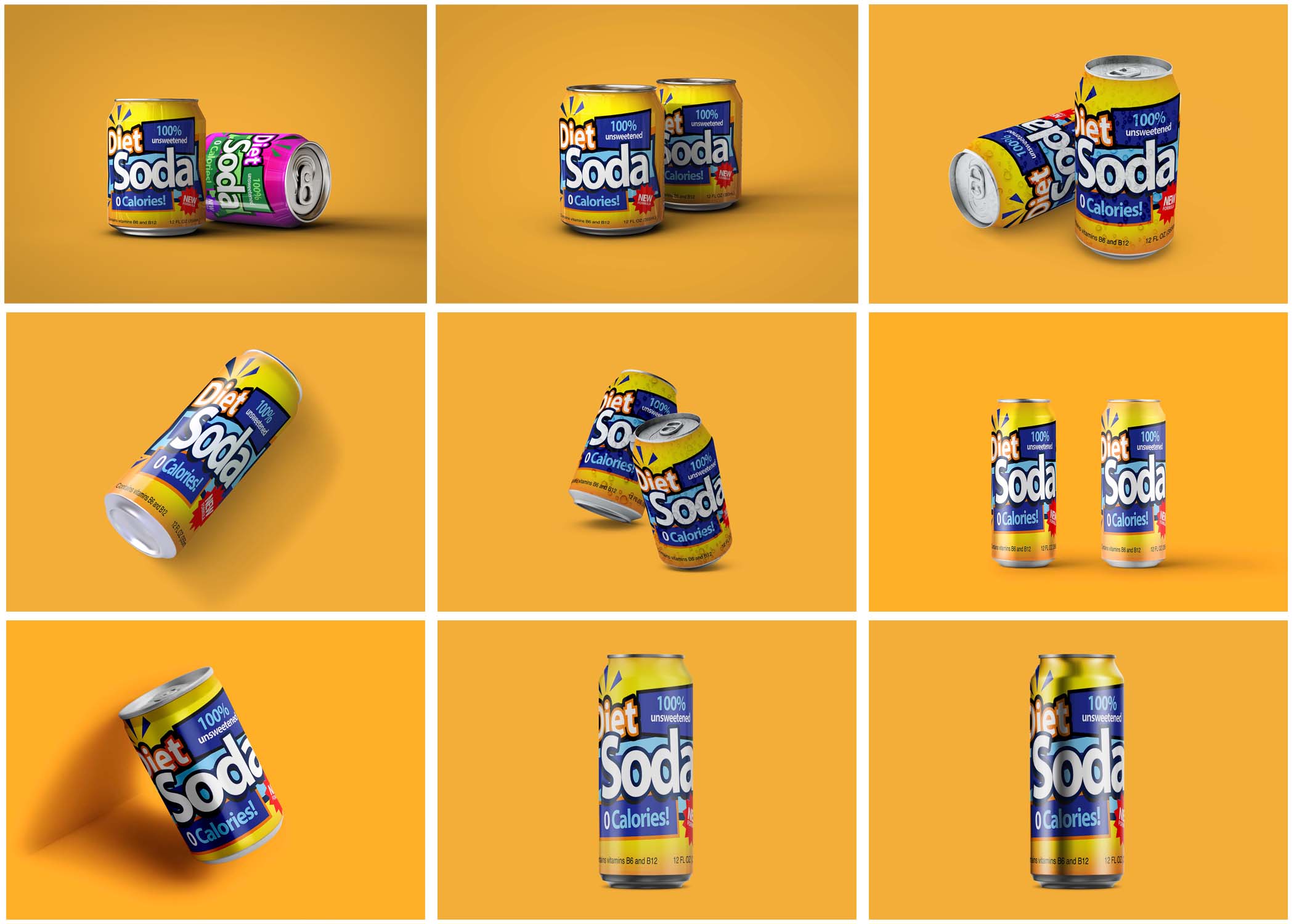
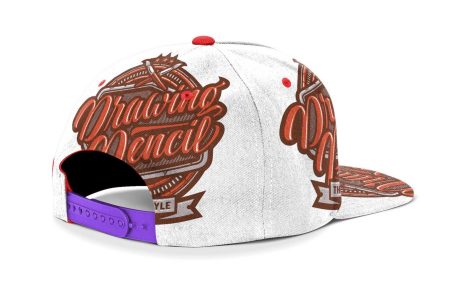
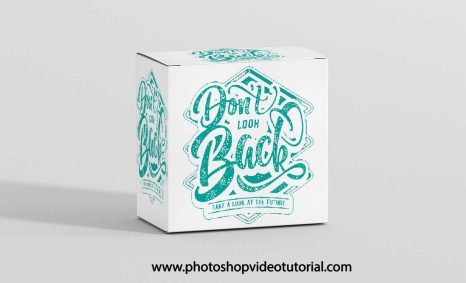
In today’s digital-first world, the ability to showcase your designs effectively is paramount. Whether you’re a designer, marketer, or business owner, having access to an intuitive mockup generator can save time, improve branding, and boost customer engagement. FlexClip Mockup Generator is one such tool that makes creating professional and visually striking mockups a breeze.
FlexClip’s Mockup Generator is your go-to tool for creating stunning visual creations with ease. Whether you’re designing promotional material for an ice cream shop or any other project, this intuitive platform can help bring your ideas to life. Check out this excellent resource for designing ice cream shop promotional material for your next campaign.
This article dives deep into the features, benefits, and use cases of FlexClip’s Mockup Generator and how it can revolutionize the way you present your ideas.
What is FlexClip Mockup Generator?
FlexClip Mockup Generator is a user-friendly online platform that enables users to create professional mockups for a variety of purposes. From digital screens to packaging and product displays, FlexClip offers an extensive library of templates and customization options to make your ideas stand out.
The tool is designed with accessibility in mind, making it ideal for both beginners and seasoned professionals. Its seamless interface allows users to transform their designs into stunning, real-world visuals without requiring advanced design skills.
Key Features of FlexClip Mockup Generator
FlexClip Mockup Generator is an essential tool for designers looking to create eye-catching visuals with ease. It provides a wide range of customizable templates, allowing users to showcase their work in a professional manner. For premium graphic resources, you can explore high-quality options available premium graphic resources.
- Extensive Template Library
- Choose from a wide range of mockup templates for devices, branding, apparel, and more.
- Simple Drag-and-Drop Interface
- No need for complex software; upload your designs and position them effortlessly.
- Customizable Designs
- Tailor templates to suit your brand by adding text, logos, and graphics.
- High-Resolution Outputs
- Export mockups in high quality for both digital and print use.
- Browser-Based Platform
- No downloads required; access FlexClip from any device with an internet connection.
- Versatile Mockup Categories
- Create mockups for social media posts, product launches, marketing materials, and more.
- Quick Editing Tools
- Adjust colors, layouts, and other design elements with ease.
- Affordable Pricing Options
- FlexClip offers free basic features, with premium plans for advanced customization and exports.
How to Use FlexClip Mockup Generator
Step 1: Visit FlexClip
Go to the FlexClip Mockup Generator to get started.
Step 2: Choose a Template
Browse the extensive library and select a mockup template that matches your project.
Step 3: Upload Your Design
Drag and drop your design onto the template. FlexClip will automatically fit it into the selected mockup.
Step 4: Customize Your Mockup
Edit text, adjust colors, or add additional design elements to align with your brand.
Step 5: Download Your Mockup
Export your final design in high resolution for use in marketing, presentations, or e-commerce.
Why Choose FlexClip Mockup Generator?
- User-Friendly Design
- FlexClip is designed for users of all skill levels, making it easy to create professional visuals in minutes.
- Time Efficiency
- Save hours on mockup creation with pre-designed templates and quick editing tools.
- Budget-Friendly
- FlexClip’s free and affordable premium plans make it accessible to individuals and businesses.
- Versatility
- Whether for social media, product marketing, or branding, FlexClip caters to a variety of creative needs.
- Professional Quality
- Ensure your designs look polished and ready for any platform.
Applications of FlexClip Mockup Generator
- E-Commerce
- Showcase product designs on realistic mockups to attract customers.
- Social Media Content
- Create visually engaging posts for Instagram, Facebook, or LinkedIn.
- Client Presentations
- Impress clients with professional mockups that highlight your creative ideas.
- Marketing Campaigns
- Develop high-quality visuals for ads, banners, and promotional materials.
- Portfolio Development
- Enhance your design portfolio with polished, real-world mockup examples.
Who Should Use FlexClip Mockup Generator?
- Freelance Designers: Quickly create mockups to present to clients.
- E-Commerce Sellers: Enhance product listings with realistic and attractive visuals.
- Marketers: Develop eye-catching campaigns with professional-quality mockups.
- Small Businesses: Save money and time by designing mockups in-house.
- Content Creators: Produce engaging visuals for online platforms effortlessly.
Benefits of FlexClip for Branding and Marketing
- Stronger Brand Identity
- Customize mockups to reflect your brand’s colors, fonts, and logos.
- Improved Engagement
- High-quality visuals attract more attention and increase customer interaction.
- Faster Turnaround
- Create and share mockups quickly for last-minute campaigns or presentations.
- Cost Savings
- Eliminate the need for expensive design software or hiring professionals.
- Increased Versatility
- FlexClip supports various industries, from retail to technology, ensuring wide applicability.
Frequently Asked Questions (FAQs)
1. What is FlexClip Mockup Generator?
FlexClip Mockup Generator is an online tool for creating professional mockups using customizable templates.
2. Is FlexClip free to use?
FlexClip offers a free version with basic features, while premium plans unlock advanced tools and exports.
3. Can I create custom mockups?
Yes, FlexClip allows users to upload their designs and customize templates for unique mockups.
4. What types of mockups can I create?
FlexClip supports a variety of mockups, including devices, apparel, packaging, and marketing materials.
5. Do I need design experience to use FlexClip?
No, FlexClip is beginner-friendly and features a simple drag-and-drop interface.
6. Are the mockups high-quality?
Yes, all mockups can be exported in high resolution suitable for print and digital use.
7. Can I use FlexClip on mobile devices?
Yes, FlexClip is a browser-based platform accessible on any device with internet connectivity.
8. Is FlexClip suitable for large-scale projects?
FlexClip is ideal for both small and large-scale projects, offering flexibility and scalability.
Conclusion
The FlexClip Mockup Generator is a powerful and accessible tool for creating professional mockups with minimal effort. Its extensive template library, customizable options, and user-friendly design make it a top choice for designers, marketers, and businesses. Whether you’re launching a product, running a campaign, or building your portfolio, FlexClip equips you with everything you need to create visuals that stand out.
Start creating stunning mockups today at FlexClip Mockup Generator and transform your ideas into reality.