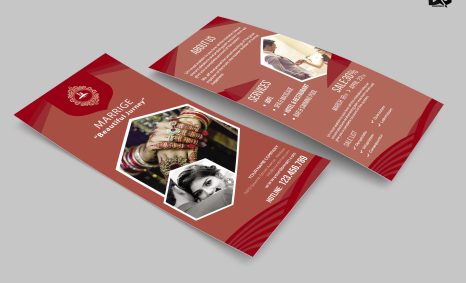
PSD Mockup

A standup tri fold design mockup is an essential tool for designers seeking to present their concepts in a professional manner. This mockup allows you to showcase your tri fold designs in a realistic setting, making it easier for clients to visualize the final product. With its high-quality resolution and customizable options, you can easily integrate your artwork and brand elements.
Utilizing this mockup is straightforward; simply insert your designs using graphic software like Photoshop. The layering system enables you to adjust shadows and lighting, enhancing the visual appeal. Whether for marketing materials, brochures, or informational pamphlets, this mockup serves as an effective way to display your work creatively.
All of these Resources are easy to use and can present your information beautifully. Some are free, while others cost a few dollars.
More great & free PSD Mockups Collection:
- 3d logo mockup psd free download
- Postcard Mockup PSD free download
- Plastic bottle mockup free download
- eBook Cover PSD Download Mockup
Description:
Available Format: Layered PSD through smart object insertion License: Free for personal and commercial use Zip File Includes: Photoshop PSD File Resolution: 2000 x 2250 pxFAQs – Standup Tri Fold Design Mockup
Can I edit the standup tri fold design mockup?
Yes, the mockup is fully editable in Photoshop, allowing you to customize designs, colors, and shadows to fit your project needs.
Is it easy to insert my designs into the mockup?
Absolutely! The mockup includes smart objects, making it simple to drag and drop your designs directly into the template.
What file formats does the standup tri fold mockup support?
The mockup comes in PSD format, which is compatible with various design software, primarily Adobe Photoshop.
Does the mockup include realistic lighting effects?
Yes, the mockup features built-in lighting effects that enhance the realism of your designs when displayed.
Do I need special software to use the standup tri fold mockup?
To utilize this mockup effectively, you will need Adobe Photoshop or a similar program that supports PSD files.
Download PSD Now!