PSD Mockup

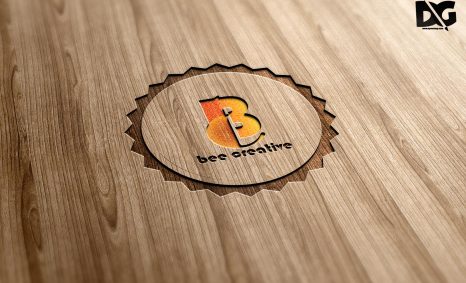
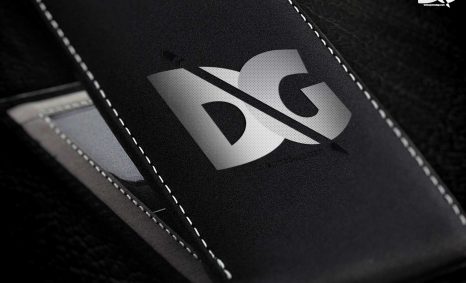
Introducing the ultimate collection of 3D logo mockups for 2020, tailored for graphic designers and branding professionals. These mockups provide a stunning way to present your logo designs with realistic lighting and textures, enhancing visual appeal. Whether you need a sleek, modern look or something more classic, our selection includes a variety of styles to suit every project. Each mockup is easy to edit, allowing you to customize colors and backgrounds effortlessly, ensuring your logos stand out.
These 3D logo mockups are perfect for showcasing your designs in portfolios, social media, or client presentations. Designed with high-resolution images, they ensure that every detail of your logo is highlighted beautifully. Simply download the files and use Photoshop to replace the placeholder logos with your own. The mockups are versatile and can be used for both digital and print media, making them an essential tool for any designer looking to elevate their branding game.
All of these Resources are easy to use and can present your information beautifully. Some are free, while others cost a few dollars.
More great & free PSD Mockups Collection:
- New Packaging Mockup
- Best Paper Mockups (Free & Premium)
- Mockup PSD free download
- Free Horizontal Postcard Mockup
Description:
Available Format: Layered PSD through smart object insertion Zip File Includes: Photoshop PSD File Resolution: 3000 x 2250 px
FAQs – Noise Best 3D Logo Mockup 2020
Can I use the 3D logo mockup in Photoshop?
Yes, the mockup files are fully compatible with Photoshop, allowing you to easily replace the logos and customize designs.
Do I need special skills to edit the mockup?
No special skills are required. Simply follow the provided instructions to edit the mockup with your logo in Photoshop.
Is it possible to change the background of the mockup?
Absolutely! You can easily change the background color or texture in Photoshop to match your branding.
What file formats are included in the mockup download?
The download includes PSD files, which are fully layered for easy editing, as well as high-resolution JPEG previews.
Does the mockup support different lighting effects?
Yes, the mockup allows you to adjust lighting effects to create the perfect ambiance for your logo presentation.