PSD Mockup
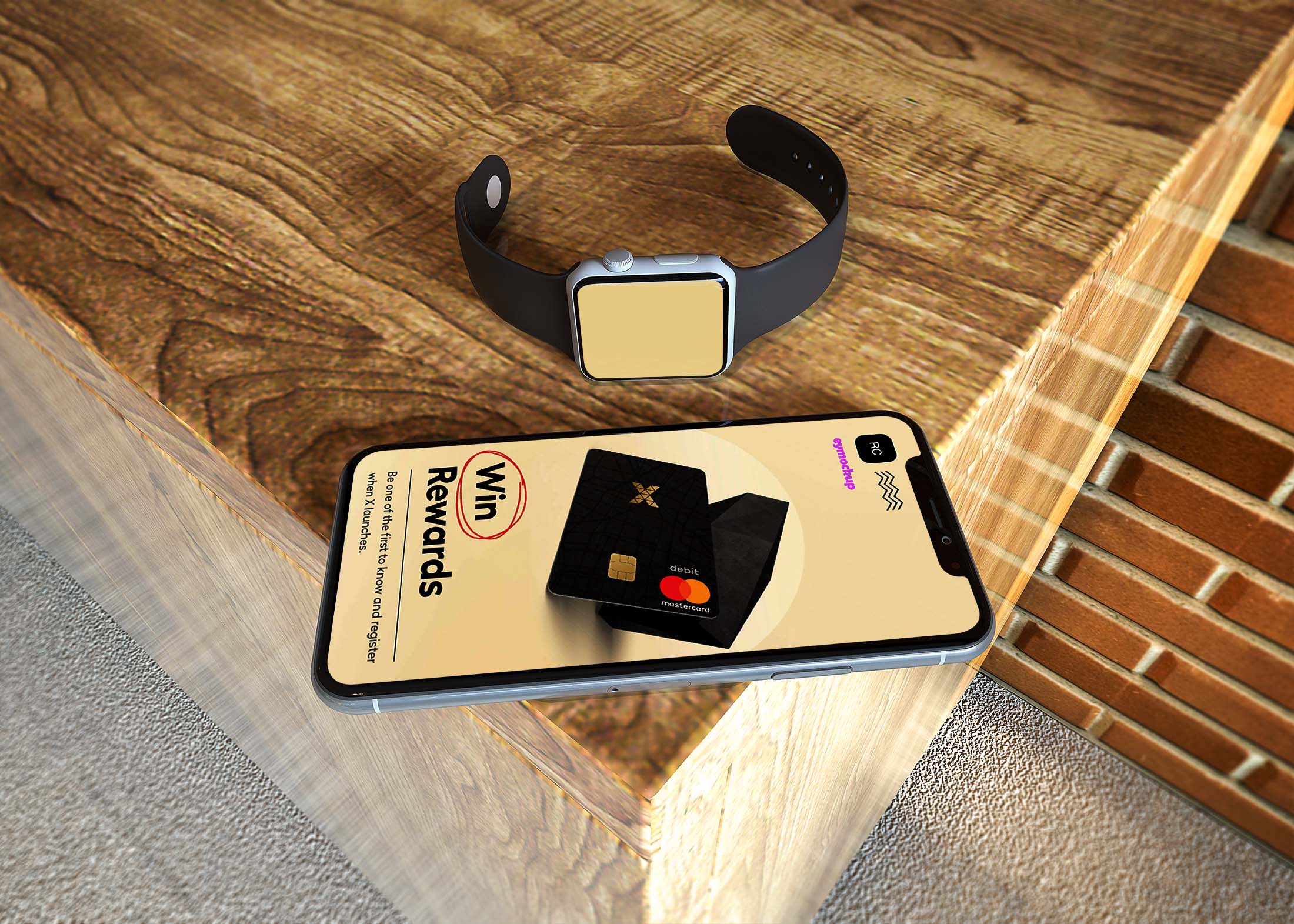
Elevate your design presentations with our free iPhone mockup set on a stylish table. Perfect for showcasing your app or website, this mockup offers a realistic setting that enhances your visuals. Simply insert your design into the smart object layer and create stunning previews that captivate your audience’s attention.
This mockup is designed for ease of use in Adobe Photoshop, making it accessible for both beginners and professionals. With high-resolution images, you can ensure your designs look sharp and appealing. Our mockup allows for customization of shadows and lighting, providing a versatile tool for your design needs.
This is a Free Table iPhone Mockup to showcase your app or mobile responsive website in a realistic environment. The iPhone mockup is fully scalable and customizable. You can change the color of the device and table as well as add your own graphics or screenshots onto it.
More like this:
This is a great mockup of the iPhone, which you can use to showcase your mobile app design or website. The PSD file contains smart objects, so you can easily drop in your own design using Photoshop. The Free Table iPhone Mockup is great for showcasing your app or web design in style.


Download this Free Table iPhone Mockup in PSD format and use our smart object layers to replace the existing image with your own. You can also change the color of the device and add any other additional elements to make it more personalized for your project.
A mockup is a way to visually present your design. A mockup is a visual representation of how the final product will look like. This Free Table iPhone Mockup comes with a high resolution and has smart object feature which allows you to easily change the content by simply double clicking on any layer.

Description:
Available Format: Layered PSD through smart object insertion
License: Free for personal and commercial use
Zip File Includes: Photoshop PSD File
Resolution: 2200 x 1500 px
Advertisement:
FAQs – Free Table iPhone Mockup
Can I edit the Free Table iPhone Mockup in Photoshop?
Yes, the mockup is fully editable in Adobe Photoshop, allowing you to customize it with your designs easily.
Does the iPhone mockup include multiple angles?
The mockup typically includes one angle, but you can create variations by adjusting the layers in Photoshop.
What file format is the iPhone mockup available in?
The mockup is available in PSD format, ensuring compatibility with Adobe Photoshop for easy editing.
Is it necessary to have design software to use the mockup?
Yes, you will need Adobe Photoshop or similar software to edit and use the mockup effectively.
Can I change the background in the mockup?
Absolutely! You can easily change the background layer in Photoshop to fit your design style or branding.