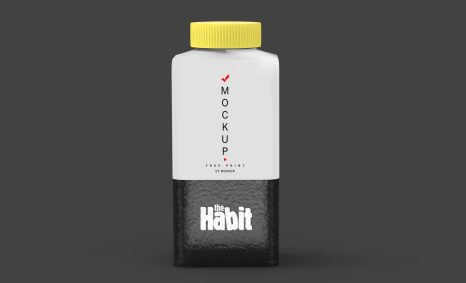
Free Tilt Banner Mockup Download

Enhance your branding projects with our Free PSD Tilt Banner Branding Mockup. This versatile mockup allows you to showcase your designs in a realistic setting, making it easier to present your ideas to clients or incorporate them into your portfolio. With its tilted perspective, your artwork takes center stage, highlighting the creativity and professionalism of your brand.

Designed for ease of use, this mockup comes in a fully editable PSD format, allowing you to easily insert your designs with just a few clicks. It is perfect for Digital Marketing campaigns, social media promotions, or any branding project that requires a striking visual presence. Download the mockup today and elevate your design presentations effortlessly.

Your Brand Deserves Free PSD Tilt Banner Branding Mockup

Our awesome team of designers pledge to developing superior but affordable graphics design Free PSD Tilt Banner Branding Mockup

All of these Resources are easy to use and can present your information beautifully. Some are free, while others cost a few dollars.
More great & free PSD Mockups Collection:

Get 3D Logo Mockups

Description:

Available Format: Layered PSD through smart object insertion License: Free for personal and commercial use Zip File Includes: Photoshop PSD File Resolution: 2000 x 2250 px

FAQs – Free PSD Tilt Banner Branding Mockup

Can I edit the Free PSD Tilt Banner Mockup?

Yes, the mockup is fully editable in Photoshop, allowing you to customize the design and colors to match your branding.

Does this mockup support high-resolution images?

Absolutely! The Free PSD Tilt Banner Mockup is designed to showcase high-resolution images, ensuring your designs look crisp and professional.

What file format does the mockup come in?

The mockup is provided in PSD format, perfect for use in Adobe Photoshop. This allows for easy editing and customization.

Is it easy to insert my designs into the mockup?

Yes, inserting your designs is simple. Just open the PSD file, locate the smart object layer, and replace it with your artwork.

Do I need advanced Photoshop skills to use the mockup?

No, basic Photoshop skills are sufficient. The mockup comes with user-friendly instructions to guide you through the process.

Ad Blocker Detected!

Refresh