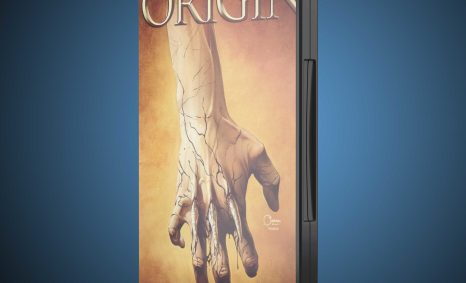
PSD Mockup

Elevate your branding with our Free 3D Realistic Logo Mockup. This versatile mockup is perfect for showcasing your logo designs in a stunning and professional manner. With its realistic lighting and shadow effects, your logo will stand out, capturing the attention of clients and customers alike. Simply insert your logo into the smart layer, and you’re ready to impress.
Whether you are a graphic designer, a business owner, or a creative enthusiast, this mockup allows you to present your work in a visually appealing way. Ideal for portfolio presentations, social media postings, or marketing materials, this mockup is easy to use and compatible with popular design software like Adobe Photoshop. Download now and give your logo the presentation it deserves!
Create a high-quality logo mockup for your brand. Create amazing logos with our free 3D realistic logo mockup today!
Add a professional and realistic look to your logo design with our 3D Logo Mockup 2022. This easy-to-use mockup renders any logo design as a photorealistic. Save time on designing your next amazing logo!
More Mockups like this:
- Office Front Logo Mockup
- Office Background Logo Mockup
- Office Working Room Logo Mockup
- Reception Logo Mockup
- Wood Wall 3D Logo Mockup
Show off your brand in this Free 3D Realistic Logo Mockup 2022. This high resolution, print ready format will help you suitably represent your logo to get the best results.
It is a great way to showcase your design in front of your potential customers. This could be used for commercial and personal purpose.
Description:
Available Format: Layered PSD through smart object insertion
License: Free for personal use
Zip File Includes: Photoshop PSD File
Resolution: 2000 x 2250 px
FAQs – Free 3D Realistic Logo Mockup
Can I edit the 3D logo mockup in Photoshop?
Yes, the mockup is fully editable in Adobe Photoshop. Just open the smart object layer to replace the placeholder with your logo.
Does it support different logo formats?
Absolutely! You can use various formats such as PNG, JPG, or SVG to insert your logo into the mockup.
Is it easy to change the background of the mockup?
Yes, changing the background is straightforward. You can edit the background layer to customize it according to your needs.
What are the dimensions of the mockup?
The mockup comes in high resolution, ensuring that your logo appears clear and professional at various sizes.
Can I use this mockup for client presentations?
Definitely! This mockup is perfect for client presentations, helping you showcase your logo designs effectively.