Creating a stunning logo can be a daunting task for many, especially when time is of the essence. A logo is not just a symbol; it’s the visual identity of a brand. In today’s fast-paced digital world, having a professional and memorable logo is essential. This article will explore various strategies, tools, and tips that can help you design captivating logos quickly and efficiently.
Creating stunning logos quickly is essential for businesses looking to establish their brand identity. In this step-by-step guide, you will learn effective techniques to design logos that capture attention and convey your message clearly. For additional inspiration, check out the latest business card design trends.
Understanding Logo Design
Before diving into the creation process, it’s crucial to understand what makes a logo effective. A good logo should be:
- Simple: A complex logo can lose its effectiveness when scaled down.
- Memorable: It should leave an impression on the audience.
- Timeless: Aim for designs that won’t look outdated in a few years.
- Versatile: It should work across various mediums and applications.
- Appropriate: The logo should fit the brand’s ethos and target audience.
Steps to Create Logos Quickly
1. Define Your Brand Identity
Start by clearly defining your brand. Understanding the mission, vision, and values of your business is essential. Ask yourself:
- What message do I want my logo to convey?
- Who is my target audience?
- What are the core values of my brand?
2. Research Competitors
Evaluate your competitors’ logos. This will provide insights into industry trends and help you avoid similarities. Create a table listing competitor logos along with their strengths and weaknesses:
| Competitor | Logo Strengths | Logo Weaknesses |
|---|---|---|
| Competitor A | Bold colors, memorable | Complex design |
| Competitor B | Simple, versatile | Generic concept |
3. Sketch Ideas
Start sketching potential logo concepts. Don’t worry about the quality of your sketches; the goal is to explore various ideas. Consider:
- Different shapes and symbols that represent your brand.
- Font styles that align with your brand’s personality.
- Color combinations that evoke the right emotions.
Utilizing Logo Design Tools
4. Choose a Design Tool
There are numerous design tools available that can help expedite the logo creation process:
- Canva: User-friendly, with pre-made templates.
- Adobe Illustrator: Industry-standard for vector graphics.
- LogoMaker: Automated logo creation tool.
- Looka: AI-powered logo design service.
5. Leverage Templates
Using pre-designed templates can significantly speed up your workflow. Modify templates to fit your brand’s identity, ensuring that your logo remains unique. Most design platforms offer customizable templates to get started quickly.
Choosing Colors Wisely
6. Color Psychology
Colors evoke emotions and convey meaning. Here’s a quick reference for colors and their associated emotions:
| Color | Emotion |
|---|---|
| Red | Passion, Energy |
| Blue | Trust, Stability |
| Green | Growth, Health |
| Yellow | Optimism, Clarity |
7. Create a Color Palette
Once you choose your primary color, develop a complementary color palette. This will ensure that your logo is versatile and appealing across different backgrounds and mediums.
Typography in Logo Design
8. Selecting Fonts
The choice of typography greatly influences the overall feel of your logo. Consider:
- Serif Fonts: Convey tradition and reliability.
- Sans Serif Fonts: Suggest modernity and simplicity.
- Script Fonts: Evoke elegance and creativity.
9. Font Pairing
If your logo includes both a symbol and text, ensure that the fonts complement each other. Here are some popular combinations:
- Serif Header with Sans Serif Body
- Bold Sans Serif with Light Sans Serif
- Script with Clean Sans Serif
Finalizing Your Logo
10. Seek Feedback
Once you’ve created a few logo concepts, gather feedback from trusted colleagues, friends, or potential customers. Here’s how to effectively gather feedback:
- Present multiple options.
- Ask for specific comments on color, clarity, and overall appeal.
- Consider conducting a survey to quantify responses.
11. Refine and Adjust
Based on the feedback received, make necessary adjustments to improve your logo. This might involve refining the color scheme, adjusting typography, or simplifying the design further.
Testing Your Logo
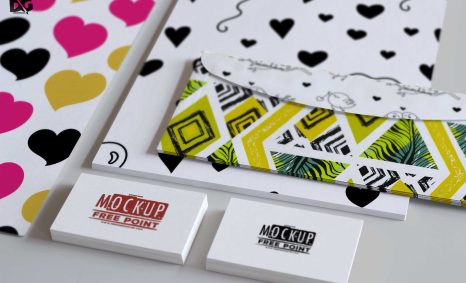
12. Mockup Your Logo
Visualize how your logo will look in real-world applications. Create mockups to see how your logo performs across various uses:
- Business cards
- Websites
- Merchandise
13. Ensure Scalability
Your logo should look good at all sizes. Make sure it is clear and recognizable both on a large billboard and a small business card. Test its visibility and clarity at different scales.
Conclusion
Creating a stunning logo quickly doesn’t have to be overwhelming. By following these structured steps, utilizing modern design tools, and understanding the principles of effective logo design, you can craft a logo that’s not only visually appealing but also a true representation of your brand. Remember, a logo is often the first impression potential customers will have of your brand; make it count!
FAQ
What are the best tools for creating stunning logos quickly?
Some of the best tools include Canva, Adobe Spark, and Looka, which offer user-friendly interfaces and customizable templates.
Can I create a logo without design experience?
Yes, many logo design tools are designed for beginners and provide step-by-step guidance to help you create a professional logo.
What elements should I consider when designing a logo?
Consider factors such as color psychology, typography, scalability, and relevance to your brand identity.
How long does it take to create a logo?
Depending on the complexity and your familiarity with design tools, you can create a stunning logo in as little as 30 minutes to a few hours.
Are there free resources available for logo design?
Yes, platforms like Canva, LogoMakr, and Hatchful offer free resources and templates for logo creation.
What file formats should I save my logo in?
Save your logo in multiple formats such as PNG, SVG, and JPEG to ensure compatibility across different platforms and uses.