

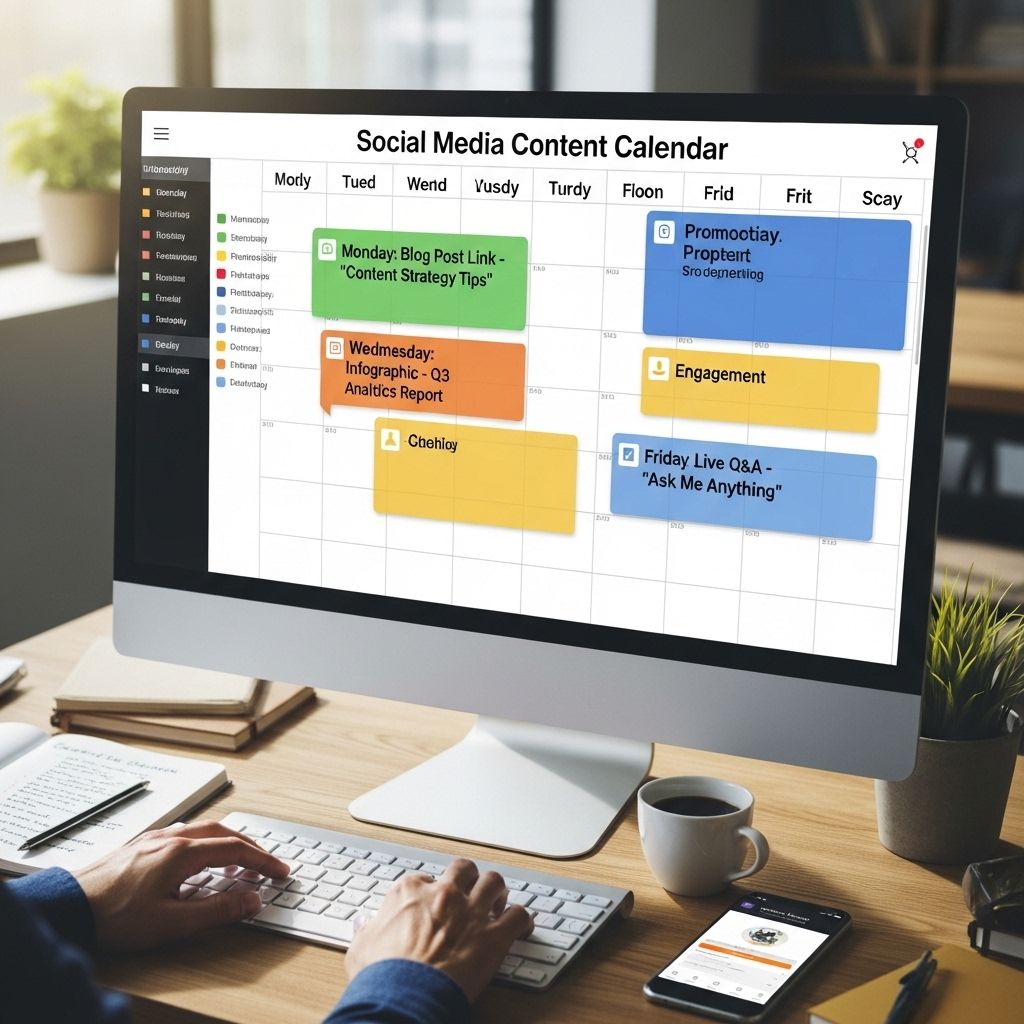
In today’s fast-paced digital world, having a robust social media presence is essential for any brand or individual looking to engage with their audience effectively. However, simply being active on social media is not enough; it requires strategic planning and consistent execution. This is where a social media content calendar comes into play. It helps streamline your content creation process, ensuring that you stay organized and relevant while maximizing engagement.
Creating a social media content calendar is essential for effectively managing your online presence. By organizing your posts in advance, you can ensure consistency and keep your audience engaged. For inspiration, check out these website mockup examples.
Understanding the Importance of a Social Media Content Calendar
A social media content calendar serves as a blueprint for your social media strategy. It allows you to plan and schedule your posts in advance, ensuring that you have a consistent presence across all platforms. Here are some of the key benefits of using a content calendar:
- Improved organization: A calendar helps you keep track of all your content ideas, deadlines, and platforms.
- Better time management: By planning ahead, you can allocate specific times for content creation, reducing the last-minute rush.
- Consistency: Regular posts help maintain engagement and attract new followers.
- Enhanced collaboration: For teams, a shared calendar facilitates better communication and project management.
Steps to Create a Social Media Content Calendar
Creating a social media content calendar involves several steps. Each step is crucial for ensuring that your calendar is effective and meets your goals. Below are the major steps to consider:
1. Define Your Goals
Before you start filling in your calendar, it’s essential to outline your social media objectives. Consider what you want to achieve, such as:
- Increasing brand awareness
- Driving website traffic
- Boosting engagement (likes, shares, comments)
- Generating leads or sales
2. Identify Your Target Audience
Understanding your audience is key to creating relevant content. Analyze demographic data, interests, and online behavior to tailor your content to their preferences.
3. Choose Your Platforms
Not all content works on every platform. Identify the social media platforms that align with your goals and where your audience is most active. Some popular options include:
| Platform | Demographics | Best For |
|---|---|---|
| Wide age range, global | Community engagement, events | |
| 18-34 years, visual-focused | Visual storytelling, branding | |
| 18-49 years, news-centric | Real-time updates, customer service | |
| Professionals, B2B | Networking, industry insights |
4. Content Themes and Topics
Brainstorm content themes that align with your brand and audience interests. This can include:
- Educational posts
- Behind-the-scenes insights
- User-generated content
- Seasonal or trending topics
5. Create a Content Schedule
Decide how often you want to post on each platform. A good starting point for most brands could be:
- Facebook: 3-5 times a week
- Instagram: 1 post and 3-5 stories daily
- Twitter: 5-10 tweets daily
6. Use a Template
Utilizing a content calendar template can simplify the process. You can create a simple spreadsheet or use dedicated tools. Some popular options include:
- Google Sheets or Excel
- Trello
- Asana
- Hootsuite or Buffer
7. Fill in Your Calendar
Once you have your template, start filling it in with your planned content. Include columns for:
- Date and time of posting
- Platform
- Content type (image, video, article)
- Caption or description
- Links/hashtags
8. Monitor and Analyze
Your work doesn’t end once your calendar is filled. Regularly monitor your posts’ performance and adjust your strategy accordingly. Use analytics tools to track:
- Engagement rates
- Reach and impressions
- Follower growth
Tips for Effective Social Media Content Planning
To ensure the success of your social media content calendar, consider the following tips:
Be Flexible
While planning is crucial, it’s equally important to stay adaptable. Trends change, and your audience’s preferences may evolve. Be prepared to tweak your calendar as needed.
Leverage User-Generated Content
Encouraging your audience to create content related to your brand can enhance engagement. Consider hosting contests or encouraging reviews.
Utilize Tools for Scheduling
Take advantage of scheduling tools to automate posting, allowing you to focus on content creation and community engagement.
Stay Updated on Trends
Follow industry trends and adjust your strategy to remain relevant. This might involve incorporating popular hashtags or participating in viral challenges.
Conclusion
A well-structured social media content calendar is vital for any brand looking to streamline its social media efforts. By following the steps outlined above and incorporating the tips provided, you can create a calendar that not only keeps you organized but also helps you achieve your marketing goals. Remember, the key to success in social media is not just frequency but quality and relevance. Start building your calendar today and watch your social media presence flourish!
FAQ
What is a social media content calendar?
A social media content calendar is a tool that helps you plan, schedule, and organize your social media posts in advance.
Why is a social media content calendar important?
It ensures consistent posting, helps in strategizing content, allows for better time management, and enhances collaboration among team members.
How do I create a social media content calendar?
Start by defining your goals, researching your audience, choosing a format, scheduling posts, and regularly reviewing and updating your calendar.
What tools can I use to create a social media content calendar?
Popular tools include Google Sheets, Trello, Asana, Hootsuite, and Buffer, which offer templates and scheduling features.
How often should I update my social media content calendar?
It’s best to review and update your calendar regularly, at least monthly, to adapt to changing trends and audience preferences.



