In today’s fast-paced digital landscape, capturing the attention of potential customers is more challenging than ever. One effective way to engage audiences is through explainer videos. These short and engaging videos succinctly convey your brand’s message, explain products, or highlight services, making them an invaluable tool for driving sales.
Creating engaging explainer videos can significantly enhance your sales strategy by clearly communicating your product’s value. These videos not only capture attention but also simplify complex information, making it easier for potential customers to understand your offerings. For ideas on effective website layouts to feature these videos, check out website layout inspirations.
Understanding Explainer Videos
Explainer videos typically range from 30 seconds to 3 minutes and are designed to simplify complex concepts. They serve as a bridge between a potential customer’s curiosity and understanding, often leading to a purchase decision. But what makes an explainer video truly effective? Let’s break down the essential components.
Characteristics of Effective Explainer Videos
- Clarity: The message should be easy to understand.
- Conciseness: Keep it short and to the point.
- Engagement: Use storytelling techniques to captivate viewers.
- Call to Action: End with a compelling reason to act.
Steps to Creating an Explainer Video
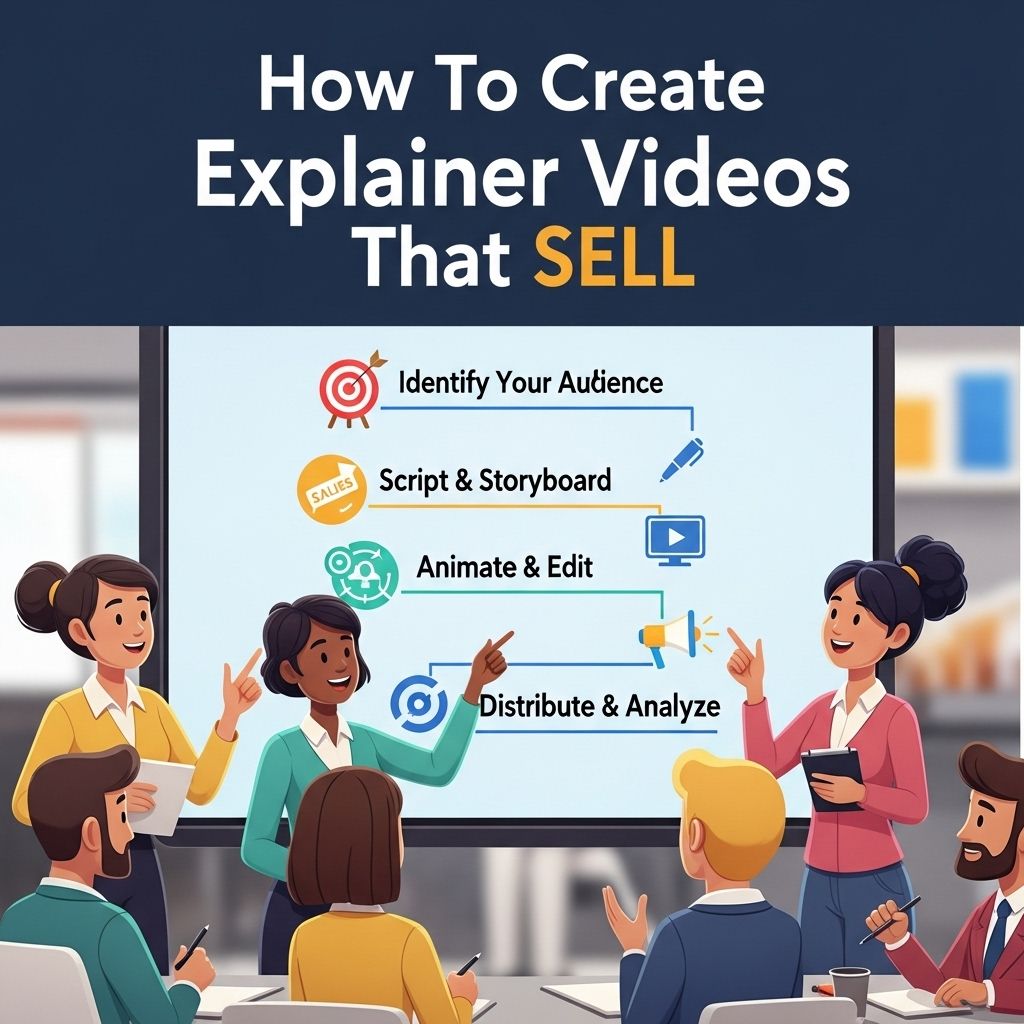
Creating a successful explainer video involves several key steps. Here’s a structured approach to guide you through the process:
1. Define Your Goal
Before you start creating your video, clearly define what you want to achieve:
- Is it brand awareness?
- Are you explaining a product or service?
- Do you want to drive traffic to your website?
2. Know Your Audience
Understanding your target audience is crucial. Consider their interests, pain points, and preferences. Tools like surveys or social media insights can help gather this information.
3. Craft a Compelling Script
The script is the backbone of your explainer video. Here are some tips for writing an effective script:
- Start with a hook to grab attention.
- Introduce the problem that your product/service solves.
- Present your solution clearly, highlighting key benefits.
- Conclude with a strong call to action.
4. Storyboard Your Ideas
Once your script is ready, create a storyboard. This visual representation outlines how each scene will look:
| Scene | Visuals | Audio |
|---|---|---|
| 1 | Animated character looking confused | Voiceover: “Are you struggling with…” |
| 2 | Show the product | Sound effect: cheery music |
5. Choose the Right Style
Explainer videos can be created in various styles:
- Animated: Fun and engaging, suitable for all audiences.
- Live-action: Adds a personal touch, showcasing real people and products.
- Whiteboard: Simple and effective for educational content.
6. Production Process
During production, ensure high-quality visuals and audio. Depending on your budget, you can choose to:
- DIY using software like Animaker or Vyond.
- Hire a professional production company.
- Use freelancers from platforms like Upwork.
7. Edit with Purpose
Editing is where your video comes to life. Focus on:
- Adding engaging graphics and animations.
- Incorporating background music that complements the tone.
- Ensuring clarity in audio and visuals.
Distribution of Your Explainer Video
Creating the video is just the beginning. It’s essential to distribute it effectively to reach your audience:
1. Social Media Platforms
Share your video across various social media platforms:
- Facebook: Boost posts for increased visibility.
- Instagram: Utilize stories and reels for engagement.
- LinkedIn: Share on professional networks to target B2B audiences.
2. Your Website
Embed the video on your homepage or landing pages to increase conversion rates. Consider adding:
- Related blog posts to provide context.
- Links to your call-to-action directly after the video.
3. Email Marketing
Incorporate your explainer video into your email campaigns:
- Use the video as the main content in newsletters.
- Include it in customer onboarding emails.
Measuring the Success of Your Video
After distributing your explainer video, it’s crucial to measure its performance. Key metrics to analyze include:
- View Count: How many times has it been viewed?
- Engagement Rate: Are viewers watching to the end?
- Conversion Rate: How many viewers took action?
Using Analytics Tools
Utilize analytics tools to gather data:
- Google Analytics: For tracking website traffic.
- Social Media Insights: For measuring engagement and reach.
Conclusion
Explainer videos are a powerful marketing tool that, when executed correctly, can significantly boost sales and brand awareness. By carefully crafting your message, understanding your audience, and utilizing effective distribution strategies, you can create explainer videos that not only inform but also drive action. Start your journey today and watch your conversion rates soar!
FAQ
What is an explainer video?
An explainer video is a short, engaging video that explains a product, service, or concept, often using animations or real-life footage to simplify complex ideas.
Why are explainer videos effective for sales?
Explainer videos are effective because they combine visual and audio elements to capture attention, convey information quickly, and evoke emotional responses, making it easier for viewers to understand and remember the message.
What are the key components of a successful explainer video?
A successful explainer video typically includes a clear script, engaging visuals, a strong call-to-action, and a concise duration of 60-90 seconds to maintain viewer interest.
How do I write a script for my explainer video?
To write a script, start by identifying your target audience, defining the problem your product solves, outlining the benefits, and concluding with a compelling call-to-action.
What types of visuals work best in explainer videos?
Visuals that work best include animations, infographics, and live-action footage that directly illustrate the key points of your script, making the content more relatable and easier to understand.
How can I promote my explainer video to increase sales?
Promote your explainer video through social media channels, email marketing, your website, and video platforms like YouTube, ensuring to optimize it with relevant keywords for better search visibility.